Eva in the Browser: a Free Online Daily Planner That Syncs With Your iPhone
Eva now runs in the browser at web.evacalendar.app. Tasks, habits and notes sync live with the iPhone app — edit on your laptop, watch it appear on your phone in seconds. Sign in with your email and a one-time code, no password. Free, like everything in Eva.
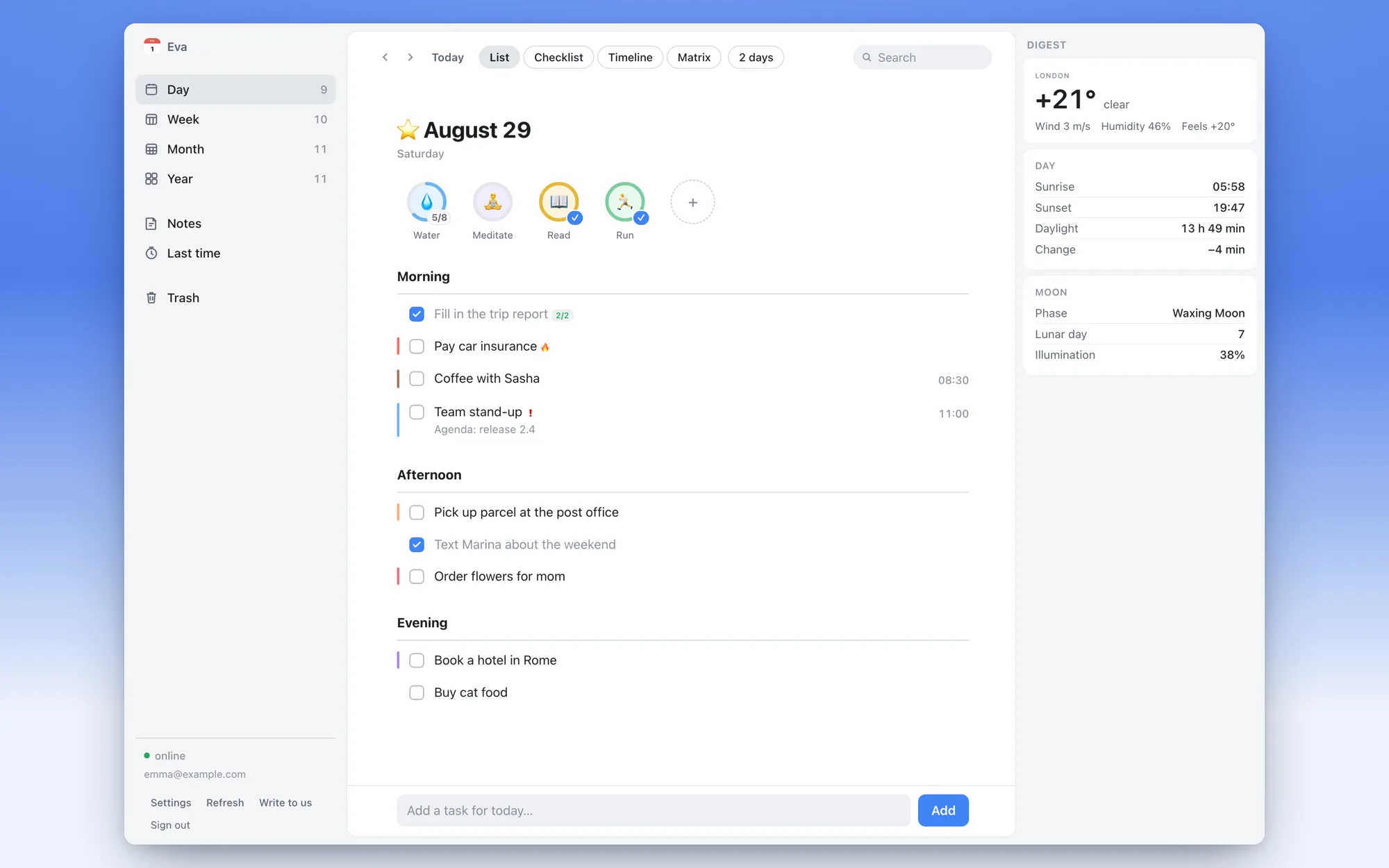
The day view: tasks by time of day, habit rings, and the digest rail with weather and moon data.
Why a web version?
Your phone is great for capturing tasks on the go. But when you sit at a computer for eight hours, reaching for the phone to check your plan is friction. An online daily planner that lives in a browser tab means your day is one ⌘-Tab away — on a work laptop, a home desktop, any machine with a browser. Nothing to install.
What's inside
- Day, week, month and year views — the same calendar structure as the app.
- Four day modes — list, checklist, timeline, and an Eisenhower matrix for sorting by urgency and importance.
- Habits — your habit rings sit right on top of the day, one click to check off.
- Notes — checklists, colors, pinning, folders and search, synced with the phone.
- "Last time" tracker — when you last watered the plants, in the sidebar.
- Daily digest rail — weather, daylight and moon phase next to your tasks.
- Drag & drop — the one thing a big screen honestly does better: dragging tasks between days.
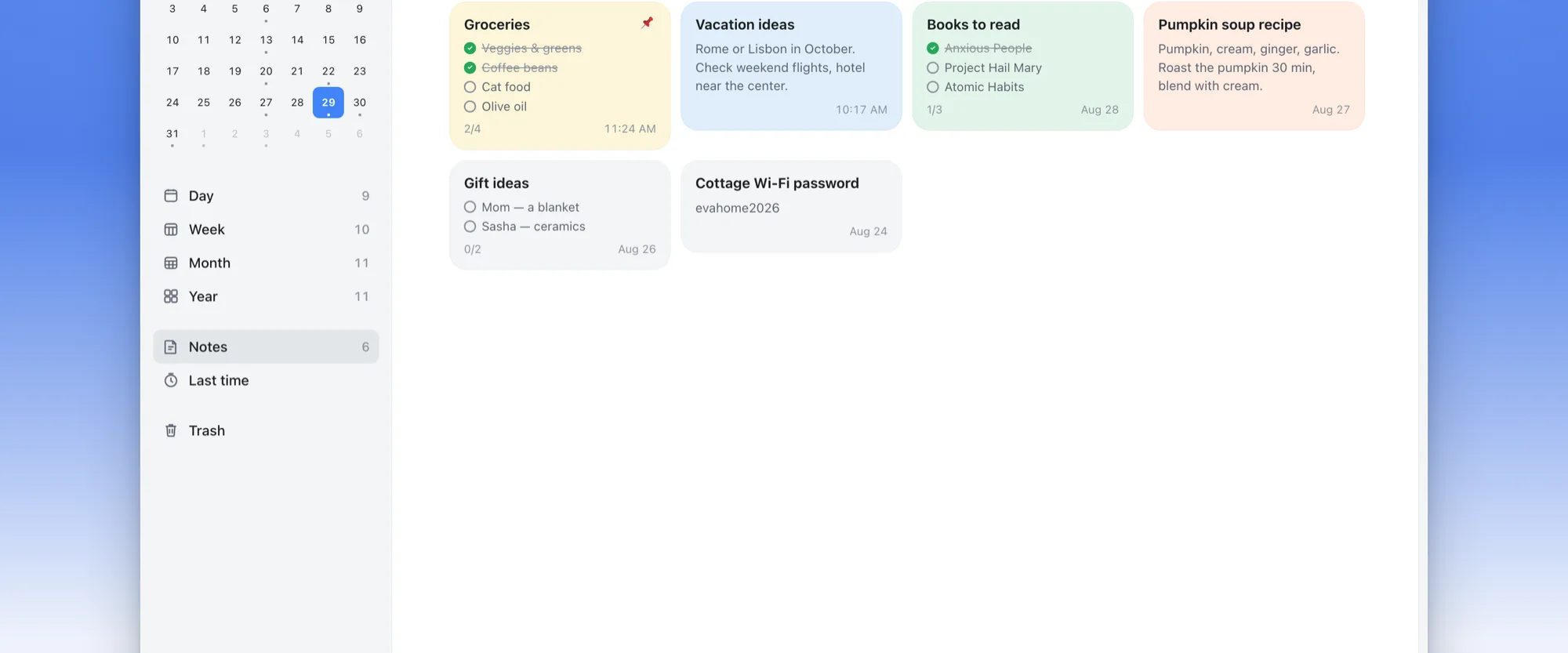
Notes in the browser: checklists, colors, pinned cards.
Live sync with your iPhone
This is not an export or a read-only mirror. Check a task off on the web — the phone knows within seconds. Add a task on the phone — it slides into the browser list. Both sides work offline and reconcile when the connection returns; a small pill in the corner tells you whether you're online.
How to start
Turn on the web version in the app
Open Eva on your iPhone → the Useful tab → Web version, and sign in with your email.
Open web.evacalendar.app
On any computer, in any browser. Enter the same email — a one-time code arrives in your inbox. No password to invent, none to forget.
That's it
Your tasks, habits and notes are already there. Pin the tab and plan from the big screen.
FAQ
Is the web version free?
Yes. Like everything in Eva — no subscription, no premium tier, no feature gates.
Do I need the iPhone app?
The web version is a companion to the app: you sign in from the app first, and the two stay in sync. Your data lives with you, not in an ad network.
Which browsers work?
Any modern browser — Safari, Chrome, Firefox, Edge — on macOS, Windows or Linux.
What about my privacy?
Sync is opt-in. Until you turn it on, Eva keeps everything on your phone, as it always has. You can sign out of a single device or everywhere, and delete the account at any time.
Try Eva in your browser
Tasks, habits and notes — synced with your iPhone.
Get the iPhone appFree. No subscription. No ads.